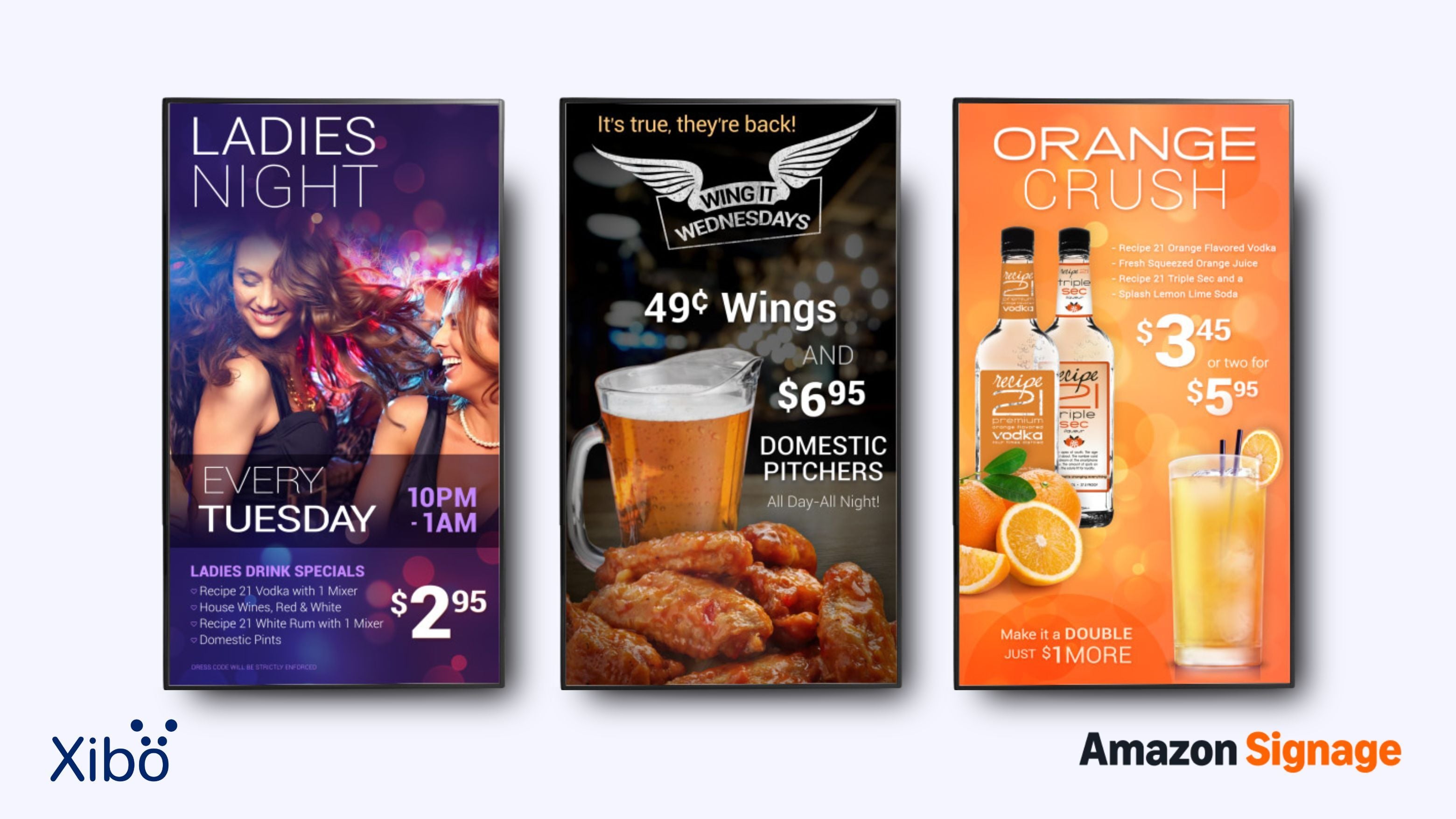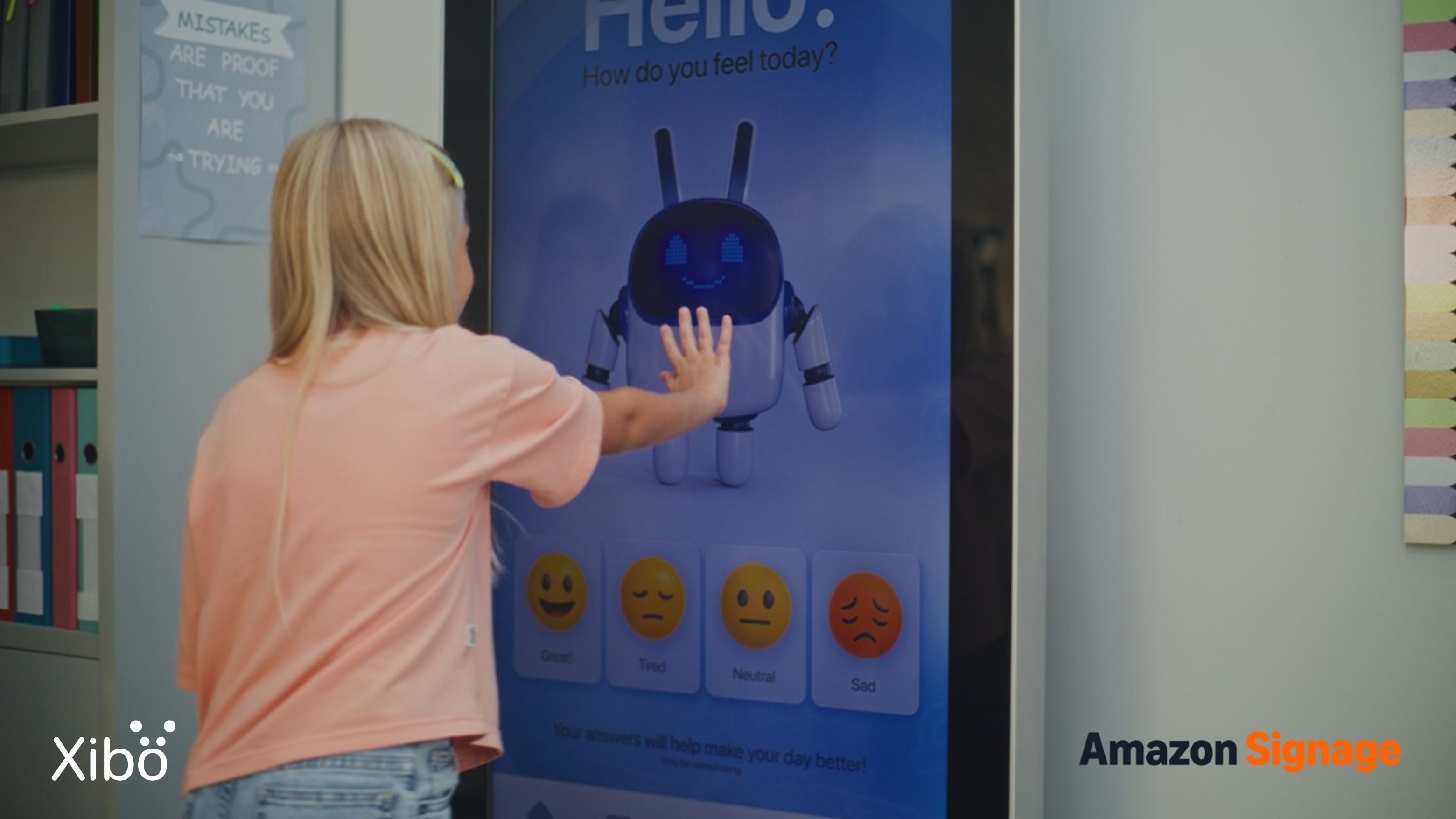

Every retailer is running the same two experiments at once. The first is getting more people to walk through the door. The second is getting more from the people who are already inside. Both used to be handled with printed posters, window vinyls and whatever the local design agency could produce for that season's campaign, none of which now works nearly as hard as it needs to.
This article is part of a collaborative series created with Amazon Signage, exploring how digital signage can help businesses and organisations communicate more effectively across different industries. In this instalment, we look at retail, from window displays and shop-floor promotions to till-point messaging and back-of-house communications, and how Xibo and the Amazon Signage Stick are making digital signage for retail more accessible and simple.
Digital signage for retail has changed the economics of both jobs. A display in the window can carry a rolling schedule of content that changes through the day. A display near the till can promote a loyalty scheme, an add-on product or the next campaign without a print run. For small and mid-sized retailers, the cost of setting one up has fallen far enough that the question has moved from whether to invest to where to point the first display.
Here are nine ways retailers are putting digital signage to work today, from the window through to the till.
1. Window displays that stop people walking past
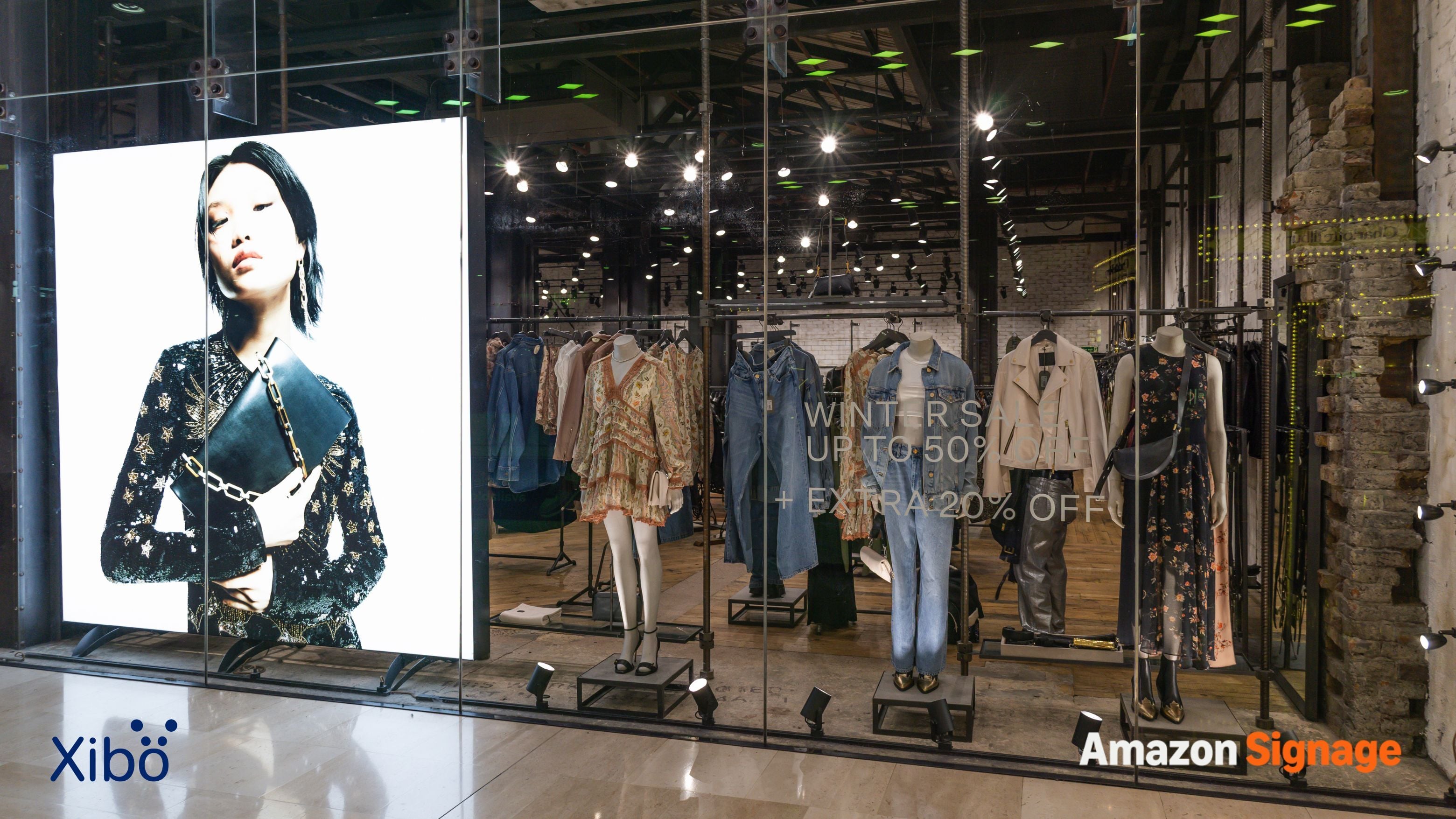
The high street is a busy visual environment, and any window competing for attention has milliseconds to make an impression. A static poster or vinyl is usually good for one message, one look and one seasonal window before it needs replacing, and even then the eye slides past it after the first day it appears. A digital window is different in two important ways. Its motion naturally draws attention, while its content can change over time, giving repeat passers-by something new to see.
The scheduling opportunity is what most retailers underestimate. A single window display can become a rolling programme of content, tailored to when different customers walk past. Morning commuters see something different from lunchtime shoppers and the after-work crowd. That level of specificity was never possible with print, and it changes what a window can do.
What retailers use digital signage for:
- Time-of-day content that reflects what the shop is selling, from pastries and coffee at 8am through to cocktails in the evening. Built with dayparting.
- Weather-responsive content that promotes umbrellas and waterproofs when the forecast turns, or ice cream, hats and sunglasses on the first warm day of the season. Powered by the weather widget.
- New arrivals promoted as soon as they reach the shop floor, so lunchtime passers-by can see what's new in store. Launched as an ad campaign with a defined start and end.
- Seasonal transitions scheduled in advance, with Christmas content ending overnight and January sale messaging appearing the following morning. Set once with scheduling repeats.
- Evening and after-hours content that keeps the window working when the shop is closed, particularly on busy evening high streets. Controlled through display operating hours.
2. Same-day promotions that used to be impossible
Static signage comes with a lead time most retailers accept. A poster must be designed, approved, printed, delivered and installed, a process that can take days or longer. That works for seasonal campaigns and long-running promotions, but limits how quickly a retailer can respond to unexpected opportunities.
Digital signage removes that delay. A decision made at 9am can appear in every relevant window and shop by mid-morning. This gives smaller retailers an advantage over larger chains, allowing an independent to respond while a chain may still be working through a central approval process.
The same flexibility applies when content is not performing. A message can be removed or replaced the same day, allowing retailers to test different approaches and move on quickly when something is not working.
Same-day content retailers commonly use includes:
- End-of-day clearance on fresh produce, bakery items and short-life stock during the final trading hours, helping to reduce waste. Pushed as a schedule overlay that sits above your regular content.
- Community moments such as local sports wins, charity fundraisers or celebrations that a retailer wants to acknowledge without commissioning and printing new signage. Sent instantly with notifications.
- Flash discounts which are particularly useful for slow-moving stock. Launched as a time-limited ad campaign that expires automatically.
3. Getting more mileage from existing marketing content
Most retailers invest in content for social media, email and paid advertising, yet treat in-store signage as a separate production job. Design teams produce multiple versions of each campaign, or the store window carries generic messaging while digital channels promote the current offer.
Digital signage removes that separation. Content created for social, email or paid advertising can be adapted for in-store displays with little extra design work, extending each campaign into the physical store. What once required bespoke in-store creative can often be achieved by adapting existing content.
That improves the economics of every campaign. When content works across five channels instead of one, the return on the original investment increases. Campaigns that were difficult to justify become more viable, while customers see consistent messaging from the ad on their phone to the display they pass in the shop.
Examples of how retailers reuse existing content:
- Paid ad creative reused in the shop, closing the loop between the customer's phone and the physical space. Uploaded once to the library and available for every future campaign.
- Influencer content shown in-store to reinforce campaigns the brand has invested in through digital creators, particularly effective for beauty, fashion and lifestyle categories. Delivered through the video widget.
- Product photography repurposed as looping displays without any additional design work, giving photoshoot investment far more presence. Managed with the image widget.
- User-generated content and customer reviews pulled through as social proof on in-store displays, which converts particularly well in categories where customers are researching visually. Streamed live using the ticker widget.
4. Cross-selling at the point of decision
Promotional posters at the till are a legacy of the print-first era. By the time customers see them, they have often already decided what to buy. Digital signage lets retailers place promotions where they can influence that decision - next to the products they apply to.
A 3-for-2 message above a shelf is seen while the customer is deciding whether to buy. A category discount on a shelf-edge display appears as they compare brands. Putting the message closer to the decision it is designed to influence can significantly improve uptake.
Digital signage also allows for greater targeting. A shelf-edge display can promote the products immediately around it rather than relying on a generic shop-wide offer. That relevance makes promotions more useful to the customer and more effective for the retailer.
Where cross-selling displays commonly earn their keep:
- Dressing rooms, promoting complementary items the customer might want to try alongside what they've brought in, which is one of the highest-intent moments in the shopping journey. Targeted through display groups.
- End-of-aisle bays, showing what goes with the products in that aisle so the customer picking up pasta sees the sauce, the parmesan and the wine that pair with it. Designed once with the layout editor and replicated across every aisle end.
- Beauty aisles, showing what to pair with a foundation, what to layer over a serum or which brushes complete a look, replacing the printed swatches that customers ignore. Sequenced with a category-specific playlist.
- Electronics sections, promoting cases, chargers, cables and warranties alongside the primary products, capturing accessory revenue that would otherwise walk out the door. Rotated through a layout list campaign that cycles through the accessory range.
5. Answering the questions staff would otherwise be asked
Retail staff spend a significant amount of time answering the same questions about ingredients, sizing, care, product origin and availability. Customers want those answers immediately, and displays near the relevant products can provide them consistently, freeing staff for conversations where personal help adds more value.
A display gives the same information every time, regardless of the shift or how busy the shop is. For retailers managing service standards across multiple stores, that consistency can improve the customer experience while reducing pressure on staff.
Self-directed information also suits customers who prefer to browse independently. Rather than waiting for assistance or being approached unnecessarily, customers can find answers at the point of decision and shop on their own terms.
Content that saves staff time and improves the browse:
- Product provenance and story for premium ranges where origin or craftsmanship supports the price. Built as a dedicated layout that stays on display alongside the product.
- Accurate ingredient and product specifications. Pulled from your product database using DataSets.
- Sizing and fit guides in clothing and footwear departments. Displayed with the image widget for high-resolution charts.
- Care instructions for products such as cashmere, leather and houseplants. Shared via the PDF widget for documents that need to be readable in detail.
- Video demonstrations for products that are easier to show than describe. Streamed through the video widget.
- Comparison information that helps customers choose between similar products without needing staff assistance. Populated from live product data with DataSets.
6. Making the queue feel shorter
Customers in a queue are more likely to abandon their purchase if the wait feels too long. Perceived wait time often matters more than the actual wait, meaning retailers can reduce frustration without necessarily shortening the queue.
Displays at the till give customers something engaging to watch, making the wait feel shorter. Lavi Industries reports a 35% reduction in perceived wait time when digital signage is used, showing the potential impact of keeping customers engaged while they wait.
Till-point displays also create an opportunity for last-minute purchases. The customer has already committed to buying, making this a strong location for gift cards, add-on products, warranty upgrades and loyalty sign-ups.
What retailers put on till-point digital signage:
- Gift card promotions with clear pricing, eligible occasions and clear reasons to buy right now rather than later. Sequenced into a rotating playlist that runs continuously.
- Loyalty scheme sign-ups with the current sign-up offer clearly visible and a QR code for immediate action. Delivered using Overlay Layouts so the offer can appear over your regular content.
- Add-on products priced to be easy last-minute additions, sitting in the sightline of the customer while their card is out. Designed in a dedicated till-point layout.
- Store social channels and QR codes to keep the customer connected after they leave, which for retailers building an owned audience is one of the highest-value moments to make the ask. Rendered via the webpage widget.
- Community content including new arrivals arriving next week, events happening at the shop, and reasons to come back soon. Displayed with the calendar widget so upcoming dates stay current automatically.
7. Growing the loyalty scheme at the moment of purchase
The till is a natural place to promote a loyalty scheme because the customer is already engaged with the retailer and has a purchase in progress. Digital signage gives retail teams a simple way to keep that message visible without relying on staff to remember to mention it or on printed materials that quickly become outdated. Offers can be updated centrally as incentives change, keeping the message current across every store.
Displays can remind existing members about points, rewards and exclusive offers, while reactivation messages can encourage lapsed members to return. For retail teams, it creates an always-on loyalty channel that can be managed alongside other in-store content rather than requiring separate print runs or staff intervention.
Loyalty content that earns its place at the till:
- Sign-up offers that make the value of joining immediately obvious, with the current welcome incentive clearly visible. Delivered using Overlay Layouts so the offer can appear over your regular content.
- Tier benefits for retailers running a multi-level scheme, showing what the customer is entitled to at their current level and what they'd unlock at the next. Populated dynamically from DataSets so the tier information stays accurate.
- App download prompts with a clear offer or incentive to install. Made scannable and tappable with interactive actions.
8. Updating pricing and offers across every location at the same time
For multi-site retailers, the ability to update pricing and promotions centrally is one of the biggest advantages of digital signage. A change made once can appear across every relevant display, allowing campaigns to launch simultaneously without print runs, delivery delays or individual stores swapping posters.
It also reduces the risk of outdated or inconsistent messaging. If pricing or an offer changes, retail teams can update it centrally rather than relying on every store to make the change manually. That saves time and helps ensure customers see the same information wherever they shop.
The operational wins retailers report with digital signage:
- Instant price and offer updates across the entire store network. Managed by organising displays into display groups so a single scheduled change reaches every relevant location.
- Simultaneous campaign launches without waiting for printed materials to reach each branch. Deployed as an ad campaign with a defined go-live date.
- Region-specific messaging managed centrally where prices or offers differ. Delivered through geo scheduling that targets content by location.
- Same-day corrections when stock, pricing or promotions change. Pushed as a schedule overlay that overrides existing content until it expires.
- Reduced print and installation costs across the network. Achieved by centralising all creative in the Xibo library rather than reprinting for each store.
- Less staff time spent replacing and managing physical signage. Supported by remote display management so head office can update and monitor every display without a site visit.
9. Making internal communications visible to teams
Retail teams need information at the point they can act on it. Back-of-house displays can put sales targets, training reminders, safety updates and rota information where staff naturally see them during a shift, rather than relying on emails or noticeboards they may not check.
The same signage network used for customer-facing content can carry internal communications, with messages scheduled for handovers, opening hours or delivery times. This gives retail teams a simple way to keep everyone informed without adding another communication channel.
What back-of-house displays can carry:
- Sales targets and progress to keep teams focused throughout the day. Visualised through the dashboard widget so live figures update automatically.
- Team recognition for strong performance, completed training or great customer service. Delivered as notifications that reach every back-of-house display at once.
- Health and safety updates that need regular visibility. Shared as a PDF so the full document can be viewed on display.
- Training reminders and links to required modules. Made tappable with interactive actions.
- Rota and shift information without staff needing to log in elsewhere. Displayed live with the calendar widget.
- Product knowledge for new ranges and upcoming promotions. Built as an internal layout that runs on staff-facing displays only.
Making digital signage work for your retail businesses
Digital signage once came with the kind of hardware costs and installation demands that made it difficult for most retailers to justify. More affordable hardware and simpler deployment mean retailers can now use digital displays to respond faster, promote products at the point of purchase and keep their messaging fresh throughout the day.
Xibo gives retail teams the flexibility to manage digital signage across their businesses. It runs on plug-and-play hardware that can get a new display running in minutes, while every display and location can be managed from one content management system. A campaign created in the morning can be live across the relevant stores by lunchtime, with content scheduled by location, region, time of day or campaign.
That flexibility gives retailers more opportunities to put the right message in front of customers when it matters - whether that means catching the attention of someone passing the window, promoting a product while they are deciding what to buy or encouraging another visit. Used well, digital signage becomes another tool for turning attention into footfall and footfall into sales.
Getting started with Xibo on the Amazon Signage Stick
For retail teams looking to put digital signage into practice, the Amazon Signage Stick provides a simple, straightforward way to connect a display to Xibo. It plugs into the display's HDMI port, connects to Wi-Fi and seamlessly integrates with the Xibo CMS, with setup designed to take minutes rather than requiring a specialized AV installation.
A retailer can use it to reliably power a window display, promote products and offers on the shop floor, support directional guidance or replace printed communications with content that can be updated remotely.
Xibo CMS supports remote device management for Amazon Signage Stick, helping reduce TCO and make 1-stick-per-display deployments easier to scale. With the native RDM API, teams can manage their entire display fleet remotely from Xibo CMS, without needing to visit each screen on-site.
For a practical guide to planning a deployment, our new eBook, The SMB Guide to High-Impact Digital Signage, covers the key decisions around hardware, content and measurement.
Purchase the Amazon Signage Stick in your country now:
.png) US
US Germany
 Spain
Spain France
 Italy
Italy UK
UK Canada
Frequently asked questions
What is digital signage for retail?
It covers any use of digital displays in a retail environment, from window displays and in-store promotions to till-point signage, loyalty messaging and back-of-house team communications. The common purpose is to reach the right audience in the right space with content that can be updated instantly and scheduled to match the time of day, the campaign or the location.
Is digital signage suitable for smaller retailers?
Yes. Digital signage can be deployed on a small scale, with a single display used for a specific purpose and additional displays added as the business grows. Affordable plug-and-play hardware and cloud-based content management have made it easier for smaller retail teams to run and update digital signage without the large hardware investment or complex installation traditionally associated with it. Xibo offers a range of plans and pricing options to suit different sizes of deployment, from a single independent shop through to a multi-site chain.
How does digital signage help retailers increase sales?
Digital signage puts relevant messages closer to the point of purchase, where they can influence what customers choose to buy. Retail teams can promote offers, new products, complementary items and loyalty schemes at the right moment, while changing content quickly as stock, promotions and customer needs change.
How do retail teams manage digital signage across multiple stores?
Digital signage software like Xibo lets retail teams manage displays from a central content management system. Content can be scheduled by store, region, time of day or campaign, allowing teams to keep core messaging consistent while adapting content for individual locations. Updates can be made remotely, so there is no need to send printed materials or visit each store to change a display. Xibo CMS enables remote device management (RDM) for the Amazon Signage Stick, simplifying the scaling of single-stick display setups and helping to lower overall total cost of ownership (TCO). Leveraging the native RDM API, teams can easily control and monitor their entire fleet of displays directly from Xibo CMS, eliminating the need for on-site maintenance visits.
Can I use an Amazon Fire TV Stick for digital signage?
The standard Amazon Fire TV Stick is designed for home entertainment and isn't built for the always-on, commercial use that digital signage requires. Amazon has since launched the Amazon Signage Stick, an affordable, purpose-built device designed to run digital signage software reliably on any compatible commercial display. It works with Xibo out of the box, giving retailers a low-cost, plug-and-play route into in-store digital signage.
How do I purchase an Amazon Signage Stick for Retail?
The Amazon Signage Stick is a Xibo-certified signage player, so you buy the hardware directly from Amazon or Amazon Business and run it on Xibo. Order the Stick from your local Amazon Marketplace, US | Germany | Spain | France | Italy | UK | Canada, plug it into your display over HDMI, then activate it through Amazon Signage’s Mobile App or Signage Manager Portal and select Xibo as your CMS during setup. It's a straightforward way to get a lobby or restaurant display live quickly, or to pilot before a wider rollout.